No solar
32.8 hUntil first interruption- Conservative
- 29.3 h
- Battery at target
- 48%
Covers the conservative case
Plan reliable internet for remote work, camping and outages. Choose Mini or Standard before sizing the battery.
For our example (Starlink Mini (25–40 W), 32.5 W average), the smallest catalogued station that covers 8 hours even with 25% higher consumption is the Jackery Explorer 500 v2 (512 Wh): ≈10 h in the typical case.
Calculate with my devicesThe Mini specification sheet lists average consumption of 25–40 W and a 12–48 V DC input rated at 60 W. The approved USB-C accessory calls for a 100 W, 20 V/5 A Power Delivery source. Standard 4 is typically 75–100 W according to Starlink support. Power utilisation varies with temperature, use and location. Confirm the USB power profile and adapter, not just the printed USB port wattage.
The example device is already added. Edit its watts and hours, add anything else you need and compare stations, solar and budget.
The essentials for a quick backup plan.
Starting values are editable. Adjust watts, daily hours and quantities in your list.
Your plan runs on stored battery energy only.
Station weight limit: 30 kg. Other preferences remain active.
Scenario range: 29.3–49.0 h, with −20% / +25% device draw. 168+ means no interruption within the seven-day simulation.
Jackery Explorer 1000 v2 · 24 h target · 400 W solar configuration
Covers the conservative case
Covers the conservative case
Covers the conservative case
Solar columns are comparison scenarios. Turn on solar charging to include generation in your main plan.
Same devices, battery, starting charge and schedule. Cloudy uses 50% of the local monthly solar profile. Historical or estimated local profile; not a forecast. 168+ is the simulation limit.
Prices change often: confirm the final price, delivery and taxes in the store.
Only critical or important devices are selected. Add solar or a larger battery to extend this plan.
Suggestions preserve critical loads and do not change medical device settings.
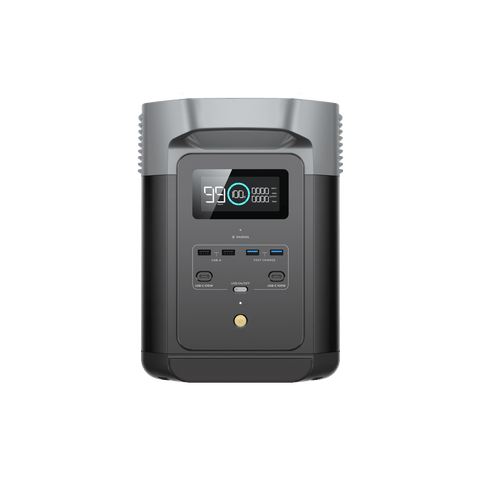
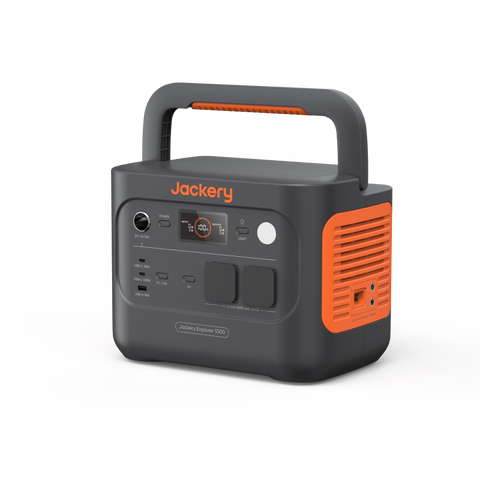
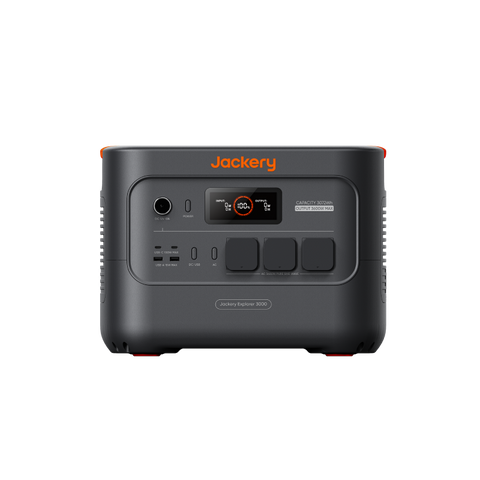
Categories use the conservative runtime estimate and known item subtotals. Known cable and accessory costs are included; unpriced items remain pending. If an option wins more than one category, its labels are combined.
Save your scenario, share a link or print your backup checklist.
Battery only, full charge, 10% reserve and the planner’s default losses. Example load: 32.5 W running, AC output.
| Power station | Capacity | Estimated runtime | workdays (8 h) |
|---|---|---|---|
| EcoFlow RIVER 2 | 256 Wh | 5 h | ≈ 0.6 |
| EcoFlow RIVER 3 Plus | 286 Wh | 5.6 h | ≈ 0.7 |
| Jackery Explorer 300 Plus | 288 Wh | 5.6 h | ≈ 0.7 |
| Jackery Explorer 500 v2 | 512 Wh | 10 h | ≈ 1.2 |
| EcoFlow RIVER 2 Max | 512 Wh | 10 h | ≈ 1.2 |
| EcoFlow RIVER 2 Pro | 768 Wh | 14.9 h | ≈ 1.9 |
| BLUETTI AC70 | 768 Wh | Startup to verify | — |
| BLUETTI AC70P | 864 Wh | Startup to verify | — |
| Anker SOLIX C1000 Gen 2 | 1,024 Wh | 19.9 h | ≈ 2.5 |
| BLUETTI Elite 100 V2 | 1,024 Wh | Startup to verify | — |
| EcoFlow DELTA 2 | 1,024 Wh | 19.9 h | ≈ 2.5 |
| EcoFlow DELTA 3 Plus | 1,024 Wh | 19.9 h | ≈ 2.5 |
| EcoFlow DELTA 3 | 1,024 Wh | 19.9 h | ≈ 2.5 |
| Jackery Explorer 1000 v2 | 1,070 Wh | 20.8 h | ≈ 2.6 |
| Jackery Explorer 1000 Plus | 1,264 Wh | 24.6 h | ≈ 3.1 |
| Jackery Explorer 2000 v2 | 2,042 Wh | 39.7 h | ≈ 5 |
| Jackery Explorer 2000 Plus | 2,043 Wh | 39.8 h | ≈ 5 |
| EcoFlow DELTA 2 Max | 2,048 Wh | 39.9 h | ≈ 5 |
| BLUETTI AC200L | 2,048 Wh | Startup to verify | — |
| BLUETTI Elite 200 V2 | 2,074 Wh | Startup to verify | — |
| Jackery Explorer 3000 v2 | 3,072 Wh | 59.8 h | ≈ 7.5 |
| EcoFlow DELTA Pro 3 | 4,096 Wh | 79.7 h | ≈ 10 |
Planning estimates from the same engine as the calculator, not laboratory tests. Your device’s real consumption decides the result: measure it or read its label and edit it above. The model stops at 168 hours.
With an example average of 32.5 W (the spec sheet lists 25–40 W) on AC, a ~500 Wh station such as the Jackery Explorer 500 v2 gives about 10 h, and a ~1 kWh unit such as the DELTA 3 about 19.9 h. Starlink Standard draws considerably more (75–100 W).
Starlink states the USB-C accessory needs a 100 W Power Delivery source (20 V / 5 A). A port labelled 100 W is not enough on its own: check the 20 V profile and use a suitable cable. Skipping the inverter usually extends runtime.
Add both to the planner and set their real hours. It is the classic remote-work pair: the laptop and the satellite dish make up most of the day’s energy.